

Create Custom Rule Actions with the API
Create Custom Rule Actions with the API
Custom rule actions allow you to define a unique action to take when certain conditions are met. They involve three primary components: a query pipeline, a custom rule type, and a rule that is triggered by conditions defined by the user.This article describes the general workflow for creating a custom rule action. The example assumes the following components are used:
-
Create a query pipeline,
custom-rule-pipeline, that is used to complete the rule action. -
Create a custom rule type,
custom-rule-type, that uses your query pipeline. Here are some important parameters to include in yourPOSTrequest.Rule properties, included as part of theschema</code, define the values required from the user to create a rule that uses the custom rule type.requiredA unique ID for the custom rule type. Theidvalue must be unique across all apps in Fusion (global namespace).
Example:custom-rule-typerequiredThe ID of the pipeline that is invoked during rule processing.
Example:custom-rule-pipelinerequiredA user-friendly name for the custom rule type.
Example:My Custom RulerequiredThe ID of the rule’s parameter. This field is used in the API but is not visible in the Rules Editor.
Example:1st-rule-parameterrequiredThe type of user-input.
Example:stringrequiredA user-friendly name for the parameter.
Example:ManufacturerFor example:requiredA user-friendly description of what the field is used for. Thedescriptionvalue is shown in the field’s tooltip in the Rules Editor.
Example: The manufacturer of the product to which this rule applies. -
Verify the custom rule type was created by visiting
https://EXAMPLE_COMPANY.b.lucidworks.cloud/api/apps/myFusionApp/custom-rule-types. Custom rule types are also available in the Rules Editor: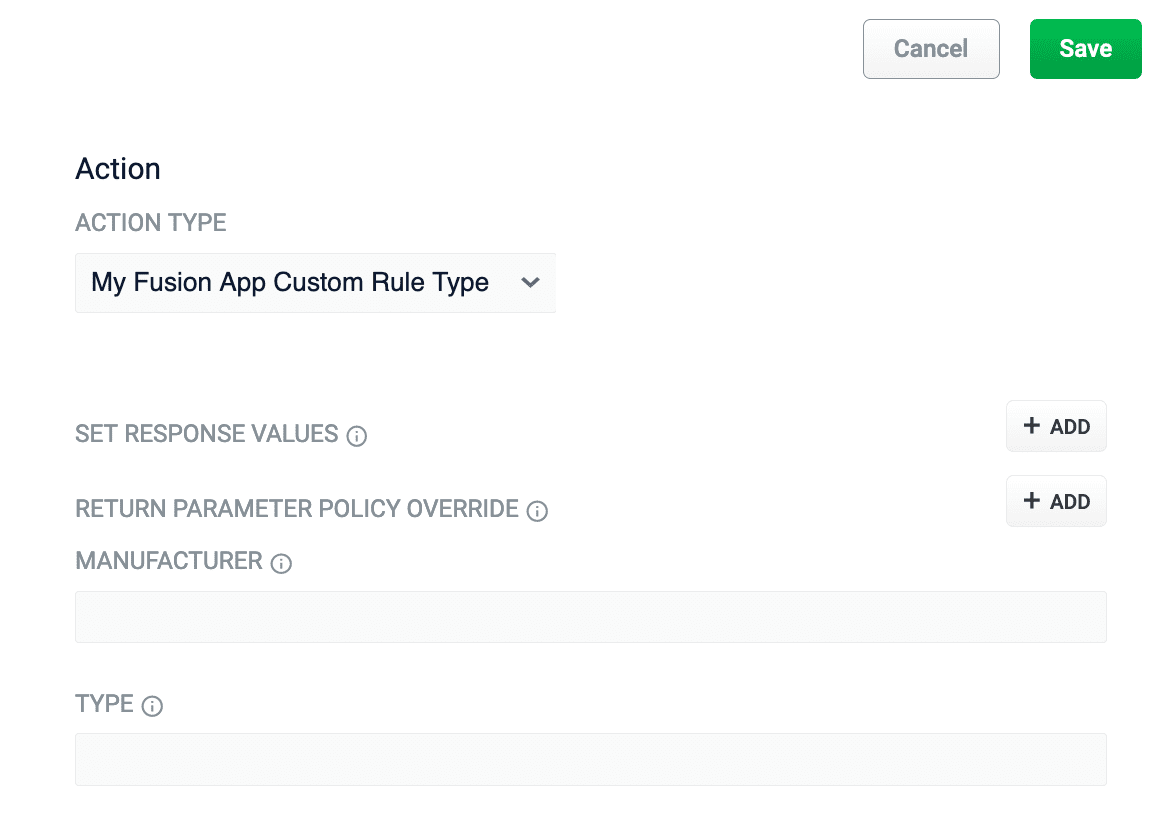
-
Create a rule,
custom-rule-action, that uses your custom rule,custom-rule-type. If you are creating the rule using the Query Rewrite API, the following image depicts which parameters are shared between the custom rule type and the rule: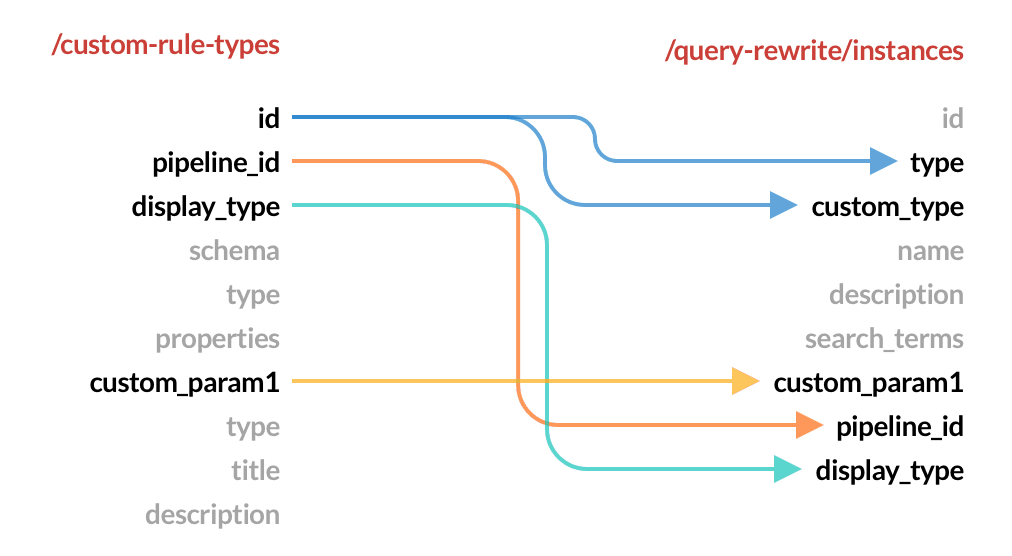
idvalue is used for the rule’stypeandcustom_typefields. Remember to assign values to the custom rule properties,custom_param1andcustom_param2. -
Verify your rule was created by checking the rule ID,
123456, with the Query Rewrite API:https://EXAMPLE_COMPANY.b.lucidworks.cloud/api/apps/myFusionApp/query-rewrite/instances/123456 - Test your custom rule using your normal rule development process.
Configuration options
Rule properties, included as part of the
schema, define the values required from the user to create a rule that uses the custom rule type.