

< and >.
The expression consists of the name of a variable in the scope of that component.
Since these variables are Java objects, if object foo of type Foo has a field named bar, the expression <foo.bar> will evaluate to the string representation of the contents of field bar.
For example, given a PipelineDocument where a field named title has a value of Star Wars, the template expression <doc.title> evaluates to Star Wars.
Index pipeline stage template expression variables
Index stages have the following variables available:ctx. Context: used to pass variables between stagesdoc. PipelineDocument: Fusion internal representation of a Solr Document. Please note that if you change this class in ways that affect the serialized form (adding fields, for example) you need to change the deserialization code inGenericJSONDocumentMessageReader._NOW_. The current time in Solr date format (UTC), such as2025-01-15T09:30:00.000Z.
<doc.title> returns all values of the title field, concatenated with no separator.
To return only the first value of a multi-valued field, use <first(doc.title)>.
Query pipeline stage template expression variables
Query stages have the following variables available:ctx. Context: used to pass variables between stagesrequest. The query request. Use<request.paramName>to return the values of a request parameter.response. The query response, if one exists._NOW_. The current time in Solr date format (UTC), such as2025-01-15T09:30:00.000Z.
<request.q> returns all values of the q request parameter, concatenated with no separator.
To return only the first value of a multi-valued parameter, use <first(request.paramName)>.
Example
Check that a query has anfq filter on a given field for a given value:
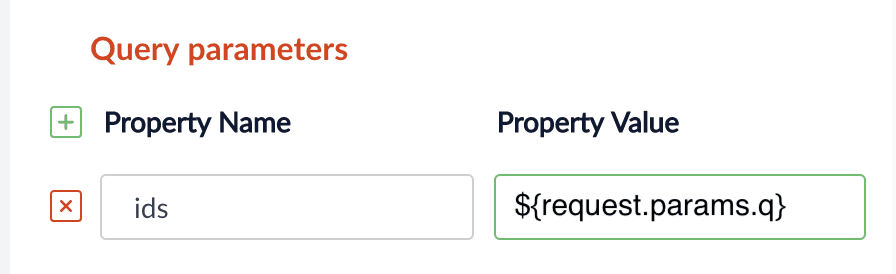
In the UI, set property name to ids and Property Value to req.hasParam("fq")
Messaging services template expression variables
Messages have a set of variables which correspond to the parts of a system message:- id
- to
- from
- subject
- body
- type
- schedule