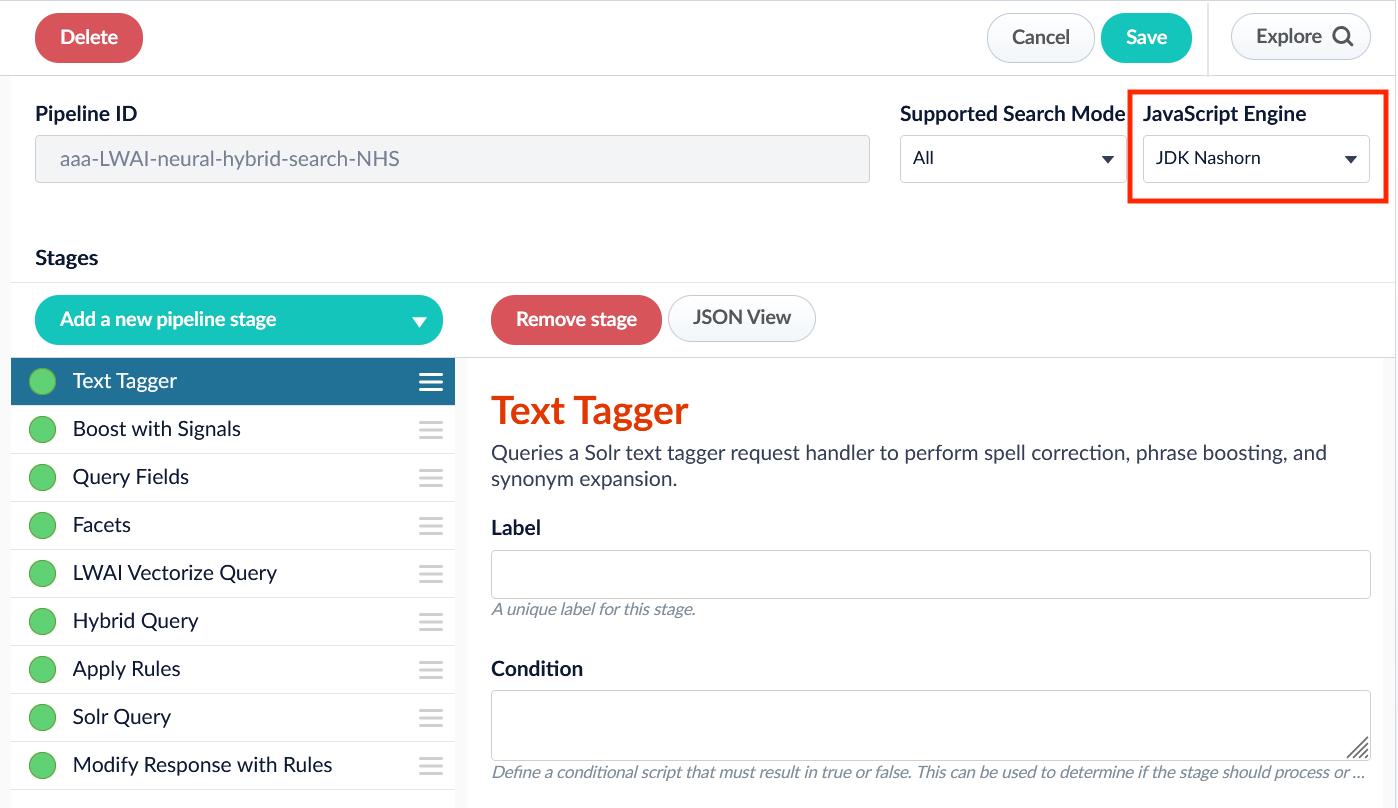
/* globals Java, logger*/
(function () {
  "use strict";
  var Collection = Java.type("java.util.Collection")
  var isDebug = false
  function logIfDebug(m) { if (isDebug && m) logger.info(m, Array.prototype.slice.call(arguments).slice(1)); }

  /**
  * @return a boolean indicating whether or not a given object looks like a Java object
  */
  function isJavaType(obj) {
      return (obj && typeof obj.getClass === 'function' &&
            typeof obj.notify === 'function' &&
            typeof obj.hashCode === 'function');
  };
  function isJavaArray(obj) {
      return (obj && isJavaType(obj) && getTypeOf(obj).endsWith('[]'));
  };
  function isJavaCollection(collection) {
      return isJavaType(collection) && Collection['class'].isInstance(collection);
  };

  /**
  * Nashorn allows obj.length and obj['property'] and obj.property functionality
  * for some object types.  This helps discover that fact at runtime
  */
  function isArrayLike(obj) {
      return isJavaCollection(obj) || Array.isArray(obj) || isJavaArray(obj);
  };
/**
    * For Java objects, return the simplified version of their classname e.g. 'Format' for a java.text.Format
    * because Java naming conventions call for upper case in the first character.
    *
    * For JavaScript objects, the type will be a lower case string e.g. 'date' for a JavaScript Date.
    * Note: Nashorn uses java.lang.String objects instead of JavaScript string objects
    */
   function getTypeOf(obj, verbose) {
      'use strict';
      var typ = 'unknown';
      var isJava = isJavaType(obj);
      logIfDebug("UTIL getTypeOf:called with verbose: ",verbose);
      //test for java objects
      if (isJava && verbose) {
          typ = obj.getClass().getName();
          logIfDebug("UTIL getTypeOf:inverbose block, type:: ",typ);
      } else if (isJava) {
          typ = obj.getClass().getSimpleName();
      } else if (obj === null) {
          typ = 'null';
      } else if (typeof (obj) === typeof (undefined)) {
          typ = 'undefined';
      } else if (typeof (obj) === typeof (String())) {
          typ = 'string';
      } else if (Array.isArray(obj)) {
          typ = 'array';
      }
      else if (Object.prototype.toString.call(obj) === '[object Date]') {
          typ = 'date';
      } else {
          typ = obj ? typeof (obj) : typ;
      }
      return typ;
  };

  return function main(request, response, ctx, collection, solrServer, solrServerFactory) {
    //output info about the objects passed in
    logger.info("request object has type '{}'",getTypeOf(request,true))
    //note, response is only valued after the solr query stage
    logger.info("response object has type '{}'",getTypeOf(response,true))
    logger.info("ctx object has type '{}'",getTypeOf(ctx,true))
    logger.info("collection object has type '{}'",getTypeOf(collection,true))
    logger.info("solrServer object has type '{}'",getTypeOf(solrServer,true))
    logger.info("solrServerFactory object has type '{}'",getTypeOf(solrServerFactory,true))
  };
})();