

The JavaScript engine used by Lucidworks Search
The default JavaScript engine used by Lucidworks Search is the Nashorn engine from Oracle. See The Nashorn Java API for details. In Lucidworks Search 5.9.6 and up, you also have the option to select OpenJDK Nashorn. While Nashorn is the default option, it is in the process of being deprecated and will eventually be removed, so it is recommended to use OpenJDK Nashorn when possible. You can select the JavaScript engine in the pipeline views or in the workbenches. Your JavaScript pipeline stages are interpreted by the selected engine.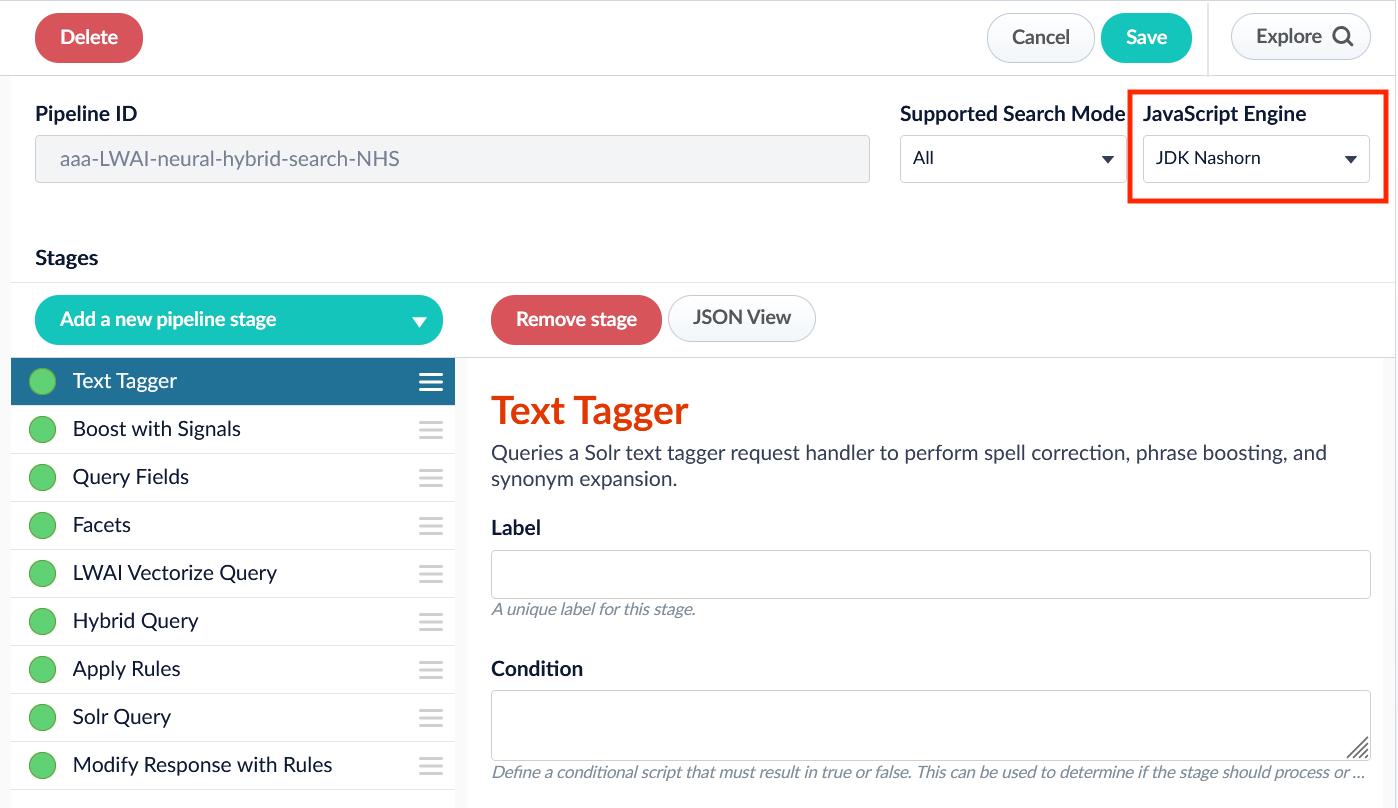
JavaScript Query Stage global variables
JavaScript is a lightweight scripting language. In a JavaScript stage, Fusion uses the Nashorn engine, which implements ECMAScript version 5.1. Although Nashorn does include some ECMAScript 6 (ES6) features such aslet, const, or template strings, Fusion does not enable ES6 by default, so ES6 support is not guaranteed.
What a JavaScript program can do depends on the container in which it runs.
For a JavaScript Query stage, the container is a Lucidworks Search query pipeline.
The following global pipeline variables are available:
See Custom JavaScript Query Stage examples for more information.
Syntax variants
JavaScript stages can be written using legacy syntax or function syntax. The key difference between these syntax variants is how the “global variables” are used and interpreted. While using legacy syntax, these variables are used as global variables. With function syntax, however, these variables are passed as function parameters.Legacy syntax
Function syntax
ImportantFunction syntax is used for the examples in this document.
Global variable logger
The logs are output to the query service logs for custom query stages. Access the Log Viewer and filter on this service to view the information.
See also
- Lucidworks Search Pipeline Javadocs
- JavaScript Query Stage
- Custom JavaScript Query Stage examples
- Custom JavaScript Stages global variables
- Managed JavaScript Query Stage
JavaScript in Fusion
The course for JavaScript in Fusion focuses on how to leverage JavaScript in Fusion to build powerful and responsive scripts at index and query time.