

This feature is available starting in Lucidworks Search 5.9.15.
-
Only certain query parameters are allowed.
Restrictive mode blocks parameters that could be used destructively. -
Strict parameter validation and sanitization is applied.
- The
qandfqparameters are rejected if they contain LocalParams syntax ({!...}), which prevents parser-injection attacks. General Solr query syntax (field:value, booleans, wildcards, ranges, phrase queries) is still permitted. - The
rowsandstartparameters must be less than 100 (valid range: 0–99). - The
sortparameter is allowlisted but values are not validated against specific sortable fields.
- The
Enabling restrictive mode
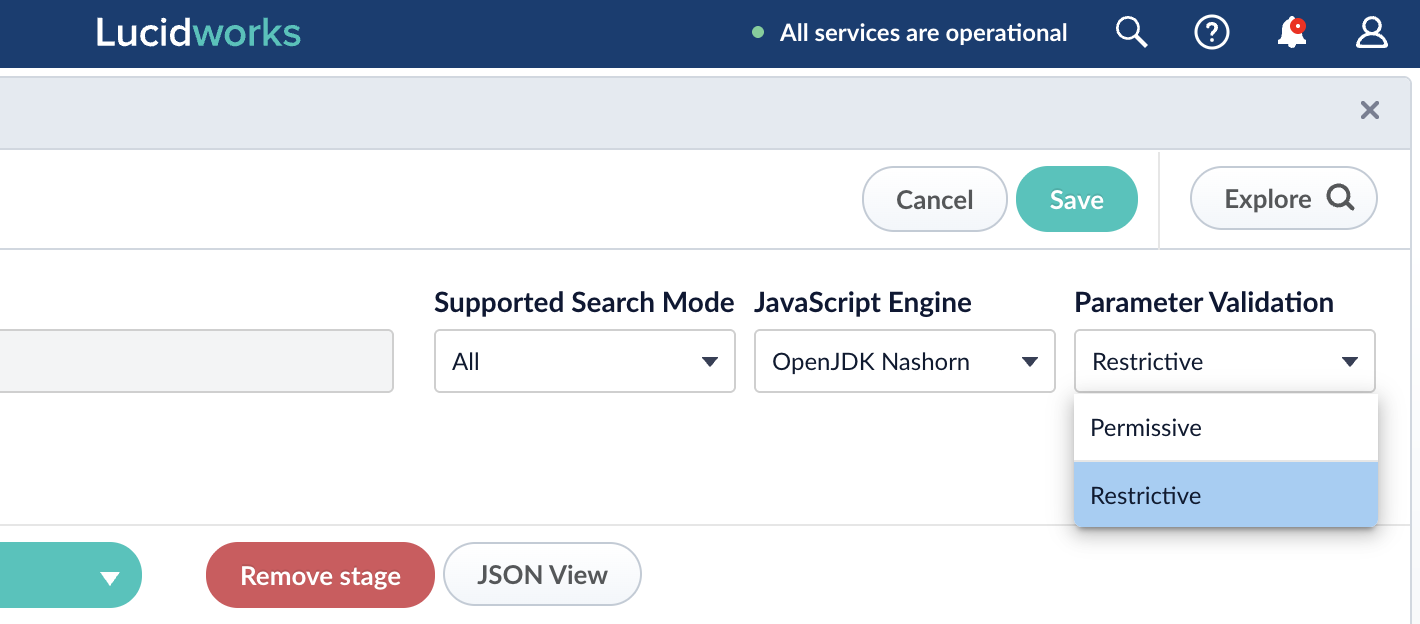
You can enable restrictive mode for any individual pipeline, in the Query Pipelines panel.How to enable restrictive mode
How to enable restrictive mode
- Navigate to Query > Query Pipelines.
- Select the pipeline you want to secure.
- In the Parameter Validation field, select Restrictive.
Allowed parameters
The parameters listed below are allowed in restrictive mode. All other parameters are prohibited.bfboostbqcallbackcollectioncontextcursorMarkdebugdefTypeechoParamsexplainOtherfacet.fieldfacet.limitfacet.mincountfacet.pivotfacet.queryfacet.rangefacet.sortfacetflfqhl.flhl.fragsizehl.simple.posthl.simple.prehl.snippetshlindentjson.facetjson.nljson.wrfmmomitHeaderpfpsqqfqsqueryProfileIDrequestHandlerrowssegmentTerminateEarlysortstarttietimeAllowedwt