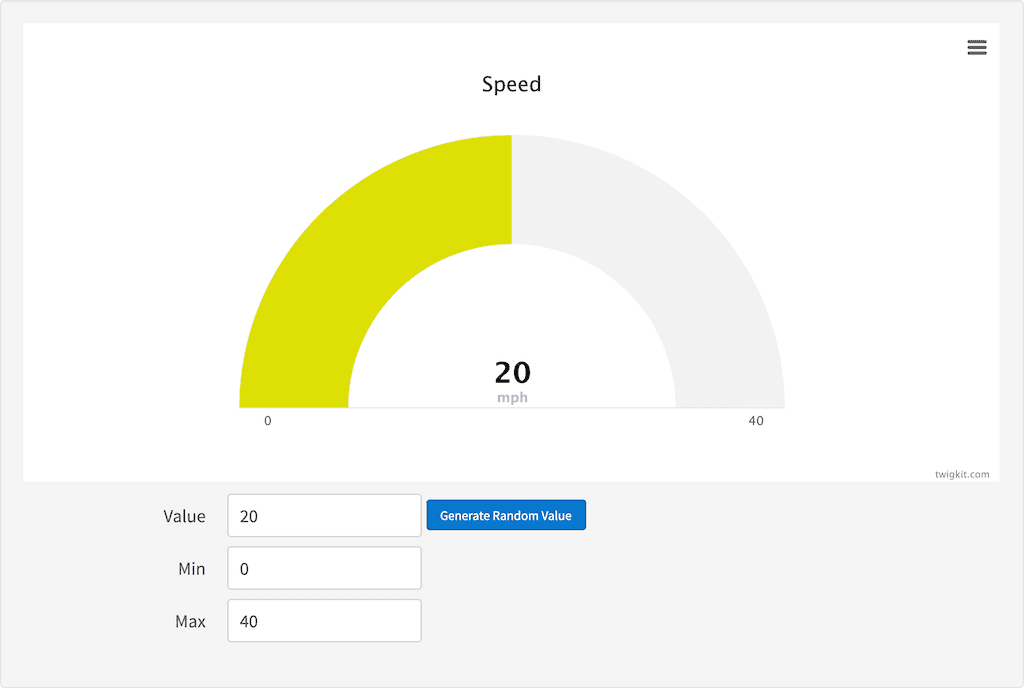
Description
The chart gauge directive generates a gauge, you can also use the chart export and chart credit directives to add this functionality to your gauge.Usage
as element:<chart:gauge
value="{number}"
min="{number}"
max="{number}"
[stops="{array}"]
[title="{string}"]
[value-suffix="{string}"]
[height="{string}"]
[options="{object}"]>
</chart:gauge>
Directive info
- This directive creates new scope.
Parameters
| Param | Type | Details |
|---|---|---|
| value | number | Value to be displayed on the gauge. |
| min | number | The smallest number that can be displayed on the gauge. |
| max | number | The highest number that can be displayed on the gauge. |
| stops (optional) | array | The colours to render at each stop measured from 0 to 1. Default [ [0.1, ‘#DF5353’], // red [0.5, ‘#DDDF0D’], // yellow [0.9, ‘#55BF3B’] // green ] |
| title (optional) | string | The title of the chart. |
| value-suffix (optional) | string | Suffix for the value on the gauge. |
| height (optional) | string | Chart height. Default:400 (400px but px is not required!) |
| options (optional) | object | Extend the current options. Options can be found here. |
Example
Source
<div ng-controller="ExampleController">
    <chart:gauge value="{{value}}" min="{{min}}" max="{{max}}" title="Speed" value-suffix="mph" stops="[[0.1, '#55BF3B'], [0.5, '#DDDF0D'], [0.9, '#DF5353']]">
        <chart:credit text="twigkit.com" href="http://www.twigkit.com"></chart:credit>
        <chart:export file-name="gauge"></chart:export>
    </chart:gauge>
    <form class="tk-stl-form tk-stl-form-aligned">
        <fieldset>
            <div class="tk-stl-control-group">
                <label for="value">Value</label>
                <input id="value" type="number" placeholder="Value" ng-model="value">
                <button ng-click="generateNewNumber()" style="button tiny">Generate Random Value</button>
            </div>

            <div class="tk-stl-control-group">
                <label for="min">Min</label>
                <input id="min" type="number" placeholder="Min" ng-model="min">
            </div>
            <div class="tk-stl-control-group">
                <label for="max">Max</label>
                <input id="max" type="number" placeholder="Max" ng-model="max">
            </div>

        </fieldset>
    </form>
</div>
angular.module('lightning')
.controller('ExampleController', ['$scope','$timeout', function($scope,$timeout) {
            $scope.value = 20;
            $scope.min = 0;
            $scope.max = 40

            $scope.generateNewNumber = function(){
            $scope.value = Math.floor(Math.random() * ($scope.max - $scope.min + 1)) + $scope.min;
            };
        }]);
Result