> ## Documentation Index
> Fetch the complete documentation index at: https://doc.lucidworks.com/llms.txt
> Use this file to discover all available pages before exploring further.
# Core Settings
export const LwTemplate = ({title = "Key questions to get you started", icon = "sparkles", cta = "Powered by Agent Studio", linkHref = "https://lucidworks.com/demo/?utm_source=docs&utm_medium=referral&utm_campaign=docs_cta_ai"}) => {
const [isLoaded, setIsLoaded] = useState(false);
useEffect(() => {
const timer = setTimeout(() => {
setIsLoaded(true);
}, 500);
return () => clearTimeout(timer);
}, []);
return
{isLoaded && `
}} />}
Powered by Lucidworks Agent Studio
;
};
[localhost link]: http://localhost:3000/docs/lw-platform/lw-core/overview
[mintlify link]: https://doc.lucidworks.com/docs/lw-platform/lw-core/overview
[old doc.lw link]: https://doc.lucidworks.com/lw-platform/core/fz448o
Core Settings empowers you to build fast, intuitive, and configurable search experiences without the need for complex coding or infrastructure.
With Core Settings, you can define and optimize the search experience with just a few clicks.
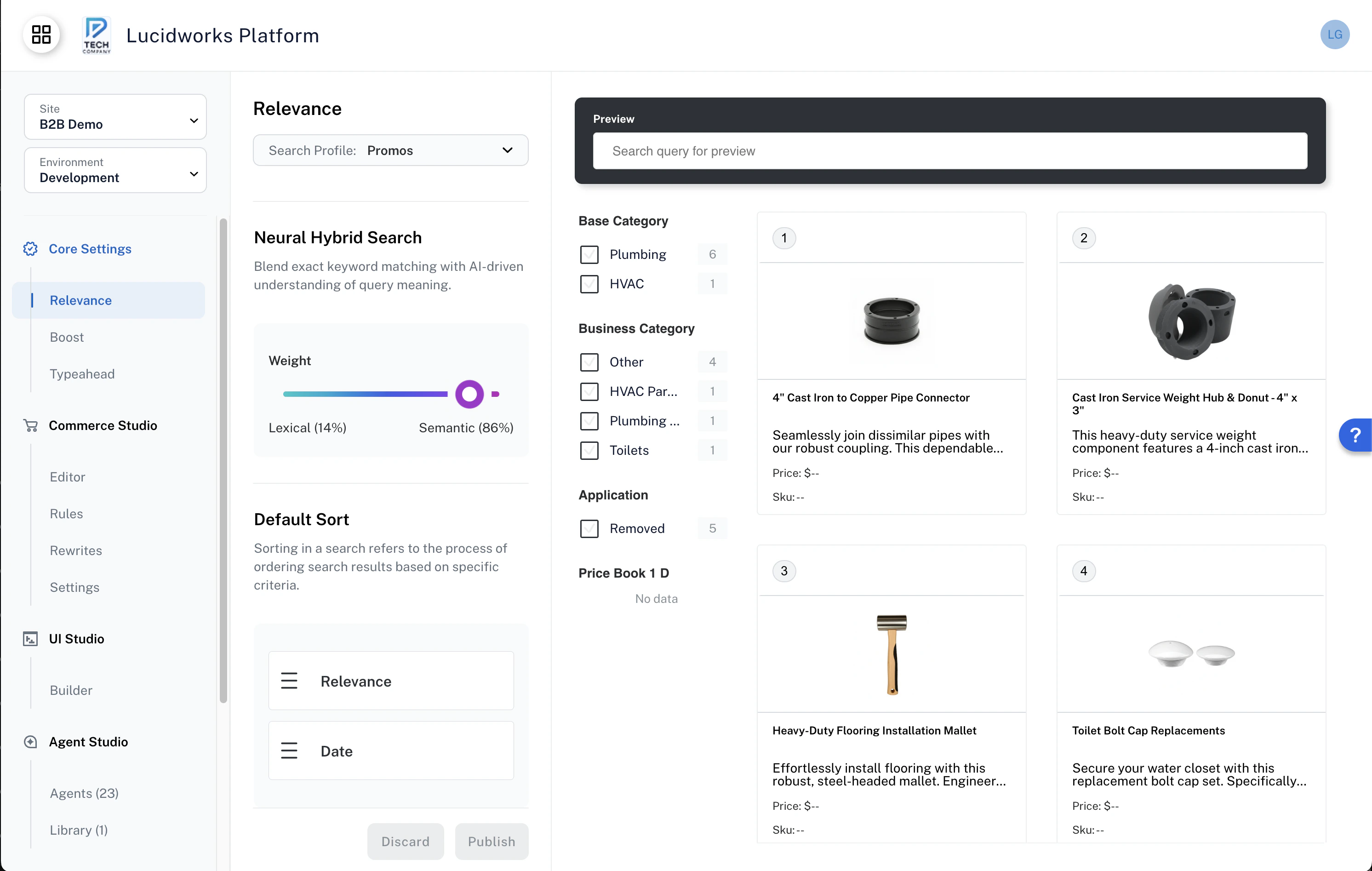
Each Site comes equipped with essential services to drive intelligent, responsive search, using an interactive UI for setup and tuning.
Use the preset defaults to quickly get your search experience up and running.
For customization, Core Settings offers controls to adjust performance and relevance.
The built-in development environment view gives full visibility into how changes impact search results before going live, so you can test and launch with confidence.
To get started, reach out to Lucidworks to request a new site, and we’ll create it for you.
## Use cases
Core Settings enable tailored search experiences for specific audiences across multiple websites.
A multinational ecommerce company can configure search to localize currency, language, and product availability based on regional shipping permissions.
Another example is when you have different ecommerce and support websites.
The ecommerce website can be set up to search the catalog and datasheets, with an embedded product-finding agent.
The support website can be set up to search the knowledge base and include an embedded troubleshooting agent.
Sites with multiple query profiles can manage different search configurations for Relevance and Boost settings.
Each query profile represents a distinct search experience with its own query pipeline and collection.
 Each Site comes equipped with essential services to drive intelligent, responsive search, using an interactive UI for setup and tuning.
Use the preset defaults to quickly get your search experience up and running.
For customization, Core Settings offers controls to adjust performance and relevance.
The built-in development environment view gives full visibility into how changes impact search results before going live, so you can test and launch with confidence.
To get started, reach out to Lucidworks to request a new site, and we’ll create it for you.
Each Site comes equipped with essential services to drive intelligent, responsive search, using an interactive UI for setup and tuning.
Use the preset defaults to quickly get your search experience up and running.
For customization, Core Settings offers controls to adjust performance and relevance.
The built-in development environment view gives full visibility into how changes impact search results before going live, so you can test and launch with confidence.
To get started, reach out to Lucidworks to request a new site, and we’ll create it for you.