> ## Documentation Index
> Fetch the complete documentation index at: https://doc.lucidworks.com/llms.txt
> Use this file to discover all available pages before exploring further.
# Collapsing Results
export const LwTemplate = ({title = "Key questions to get you started", icon = "sparkles", cta = "Powered by Agent Studio", linkHref = "https://lucidworks.com/demo/?utm_source=docs&utm_medium=referral&utm_campaign=docs_cta_ai"}) => {
const [isLoaded, setIsLoaded] = useState(false);
useEffect(() => {
const timer = setTimeout(() => {
setIsLoaded(true);
}, 500);
return () => clearTimeout(timer);
}, []);
return
{isLoaded && `
}} />}
Powered by Lucidworks Agent Studio
;
};
[localhost link]: http://localhost:3000/docs/5/fusion/getting-data-out/query-enhancement/collapse
[mintlify link]: https://doc.lucidworks.com/docs/5/fusion/getting-data-out/query-enhancement/collapse
[old doc.lw link]: https://doc.lucidworks.com/fusion/5.9/s25sw9
You can configure the [Query Fields stage](/docs/5/fusion/reference/config-ref/pipeline-stages/query-stages/search-fields-query-stage) to collapse search results based on a field, such as `product_id`, to group all variations of each item into a single search result.
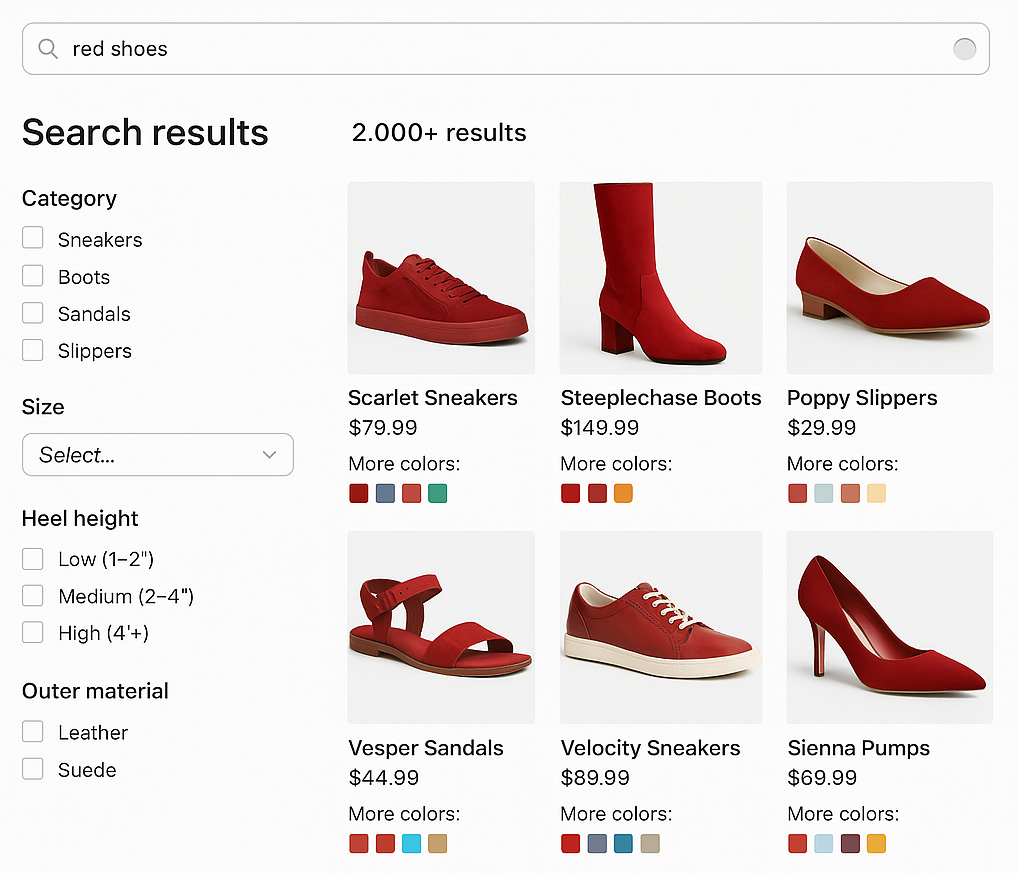
This is useful for ecommerce sites where you want to show a single product with multiple SKUs or variations.
You can also control how Fusion selects the variation that represents the collapsed group; the default is the one most relevant to the user’s query.
For example, a user who searches for "red shoes" sees all of the red variations of shoes first, with the option to drill down and see all the variations.
For additional collapse options, see the [Query Fields stage configuration reference](/docs/5/fusion/reference/config-ref/pipeline-stages/query-stages/search-fields-query-stage).
 For additional collapse options, see the [Query Fields stage configuration reference](/docs/5/fusion/reference/config-ref/pipeline-stages/query-stages/search-fields-query-stage).