> ## Documentation Index
> Fetch the complete documentation index at: https://doc.lucidworks.com/llms.txt
> Use this file to discover all available pages before exploring further.
# Fields Editor UI
export const LwTemplate = ({title = "Key questions to get you started", icon = "sparkles", cta = "Powered by Agent Studio", linkHref = "https://lucidworks.com/demo/?utm_source=docs&utm_medium=referral&utm_campaign=docs_cta_ai"}) => {
const [isLoaded, setIsLoaded] = useState(false);
useEffect(() => {
const timer = setTimeout(() => {
setIsLoaded(true);
}, 500);
return () => clearTimeout(timer);
}, []);
return
{isLoaded && `
}} />}
Powered by Lucidworks Agent Studio
;
};
[localhost link]: http://localhost:3000/docs/5/fusion/getting-data-in/indexing/collections/fields-editor-ui
[mintlify link]: https://doc.lucidworks.com/docs/5/fusion/getting-data-in/indexing/collections/fields-editor-ui
[old doc.lw link]: https://doc.lucidworks.com/fusion/5.9/nmi4j0
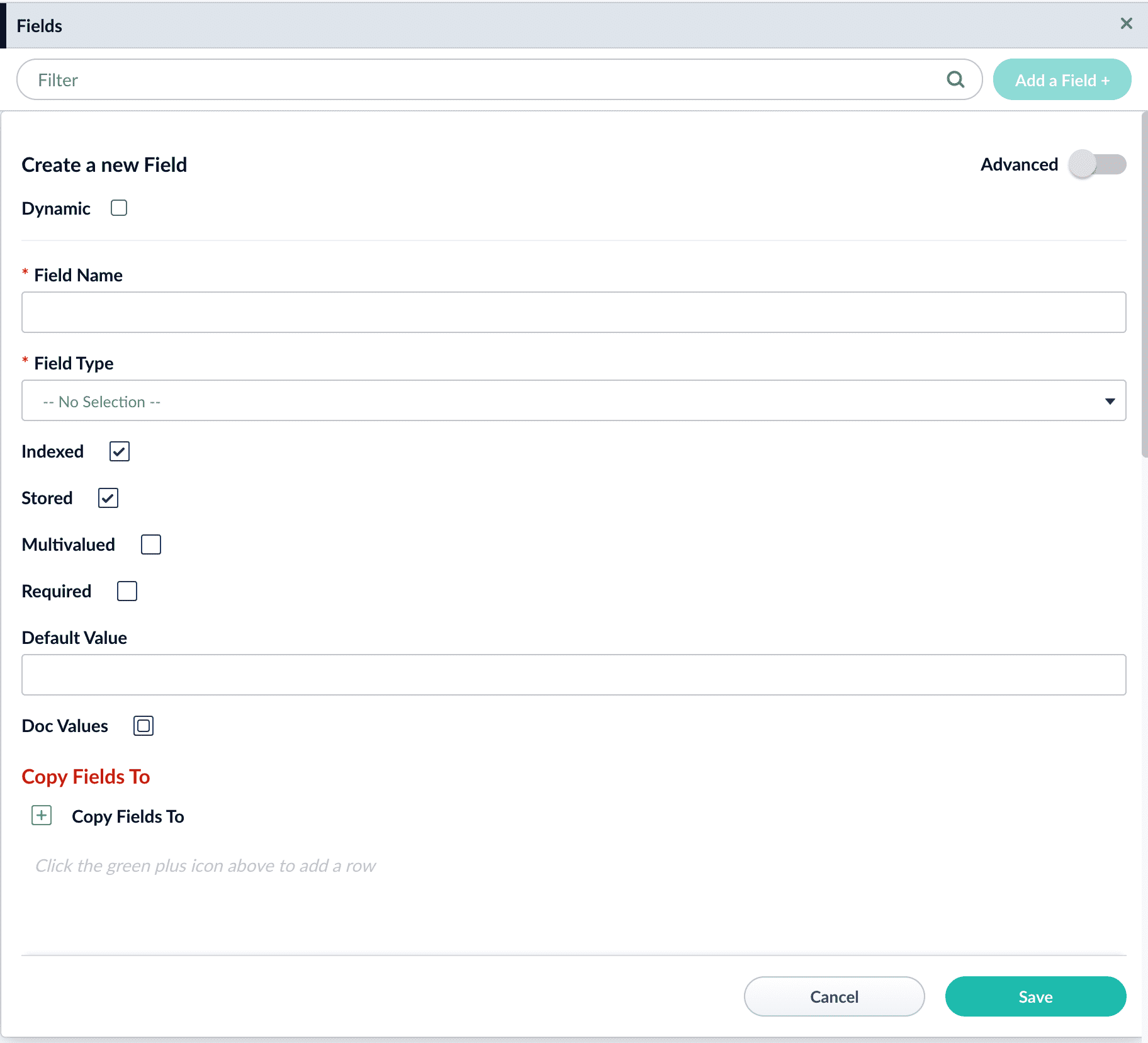
The Fusion UI includes a space under Collections to edit Fields. Fields help build the schema file and are modified from Fusion with the Fields Editor UI. These fields define how Solr should interpret data in a given field and how to query the fields. You can find descriptions for these fields in the Field Type Definitions section of the [Solr Reference Guide](https://solr.apache.org/guide/8_9/field-type-definitions-and-properties.html) associated with your Fusion release.
To use the Field Editor, navigate to **Collections** > **Fields** and click **Add a Field+**.
Field options displayed in the UI include:
| Option | Input | Notes |
| ------------------ | ------------------------------ | ------------------------------------------------------------------------------------------------------------------------------- |
| **Dynamic** | checkbox | Fields that are indexed even if they weren’t included in the schema. |
| **Field Name** | alphanumeric | |
| **Field Type** | menu drop-down | |
| **Indexed** | checkbox | |
| **Stored** | checkbox | |
| **Multi-valued** | checkbox | |
| * *Required** | checkbox | |
| **Default Value** | text | |
| **Copy Fields** | uses the plus sign to add rows | **static** can copy to `raw_content` or `text`. **dynamic** can copy to any `raw_content`, `text`, or any other dynamic field. |
Advanced toggles checkboxes for **Doc Values**, **Omit Norms**, **Omit Positions**, **Omit term freq and positions**, **Term Vectors**, **Term Positions**, and **Term Offsets**.
 Field options displayed in the UI include:
| Option | Input | Notes |
| ------------------ | ------------------------------ | ------------------------------------------------------------------------------------------------------------------------------- |
| **Dynamic** | checkbox | Fields that are indexed even if they weren’t included in the schema. |
| **Field Name** | alphanumeric | |
| **Field Type** | menu drop-down | |
| **Indexed** | checkbox | |
| **Stored** | checkbox | |
| **Multi-valued** | checkbox | |
| *
Field options displayed in the UI include:
| Option | Input | Notes |
| ------------------ | ------------------------------ | ------------------------------------------------------------------------------------------------------------------------------- |
| **Dynamic** | checkbox | Fields that are indexed even if they weren’t included in the schema. |
| **Field Name** | alphanumeric | |
| **Field Type** | menu drop-down | |
| **Indexed** | checkbox | |
| **Stored** | checkbox | |
| **Multi-valued** | checkbox | |
| *